inkwell
inkwell is a self-hosted RSS/Atom reader that serves articles as static HTML tuned for the built-in browser on a Kindle. Background jobs pre-extract every article and transcode every embedded image, so a tap on the device fetches ready-to-render bytes from local disk.
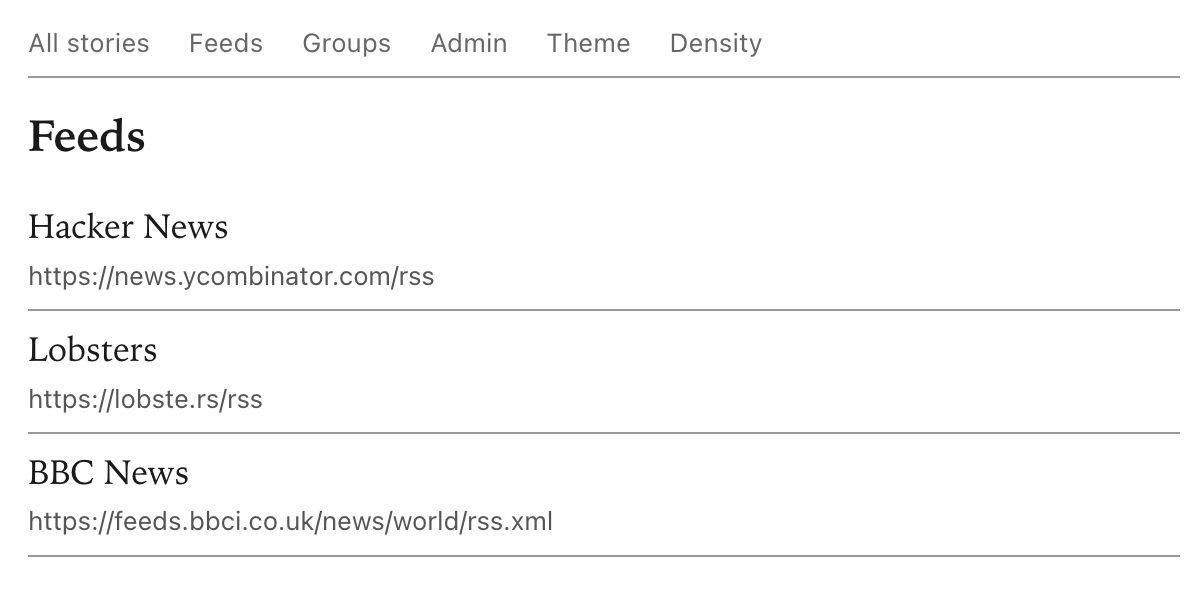
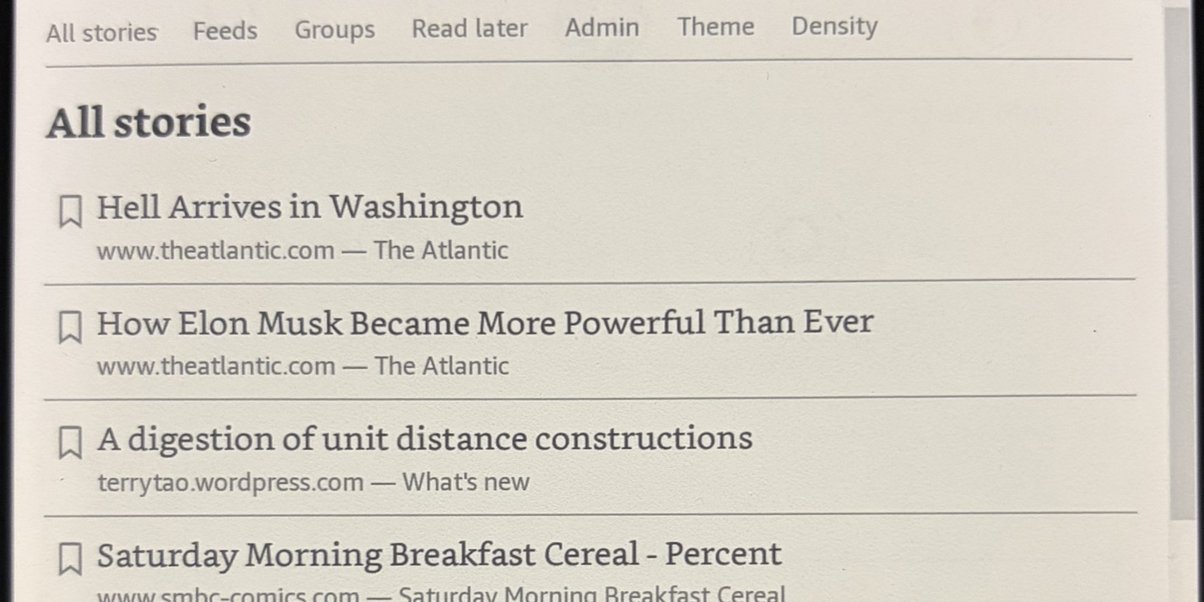

Documentation
- Installation — build from source, run under Docker, first configuration.
- Self-hosting — docker-compose, reverse proxy, admin access control, backups, upgrades.
- Reading — the listing, article, and read-later views, and their behaviour on a Kindle.
- Admin — add and remove feeds and groups, import OPML.
- Authenticating your e-reader — sign a new Kindle in through the auth gateway without typing on the device.
- Configuration reference — every YAML field and environment variable, with defaults.
Installation
inkwell ships as a single Rust binary and a Docker image built from the same source. Pick whichever fits the target host.
Docker
Requires a working Docker daemon.
docker build -t inkwell:latest .
docker run --rm -p 8080:8080 \
  -v "$PWD/config.yaml:/app/config.yaml:ro" \
  -v inkwell-data:/data \
  inkwell:latest
The image listens on port 8080 and stores the SQLite cache (plus, if
enabled, the Gemini TLS material) in /data. Mount a named volume
there to persist state across container recreation. The bundled
config is baked in at /app/config.yaml; the -v above overrides it
with a config on the host.
From source
Requires Rust 1.80 or newer.
git clone https://codeberg.org/kendal/inkwell.git
cd inkwell
cargo build --release
The binary is written to ./target/release/inkwell. It takes a
single positional argument — the path to a YAML config file.
cp config.example.yaml config.yaml
./target/release/inkwell config.yaml
Expected output:
INFO scheduler armed — refresh: '@every 10m', purge: '0 3 * * *', article_ttl_days: 30
INFO listening on http://0.0.0.0:5050
On a Debian or Ubuntu build host, pkg-config and ca-certificates
are required at build time; both are installed automatically by the
shipped Dockerfile. No system libraries are required at runtime.
First configuration
Any usable config file needs at least an rss: block listing one or
more feeds. The shipped config.example.yaml covers the common
shape:
rss:
  groups:
    - name: "Tech"
      feeds:
        - https://lobste.rs/rss
        - https://news.ycombinator.com/rss
That block is read only on the first launch to seed the SQLite
database. Once feeds and groups have been edited through the
/admin page, the database is the source of truth and
the config's rss: section is effectively read-only documentation.
For every other field, see the configuration reference.
Next
- Self-hosting — running inkwell behind a reverse proxy, with backups and upgrades.
- Reading — what the Kindle-facing UI looks like.
Self-hosting
Recipes for running inkwell as a long-lived service — docker-compose, a reverse proxy for TLS, admin access control, backups, and upgrades.
docker-compose
services:
  inkwell:
    image: inkwell:latest
    build: .
    restart: unless-stopped
    ports:
      - "8080:8080"
    volumes:
      - ./config.yaml:/app/config.yaml:ro
      - inkwell-data:/data

volumes:
  inkwell-data:
Place config.yaml next to the compose file (start from
config.example.yaml), then:
docker compose up -d
The reader is reachable at http://<host>:8080/. The inkwell-data
volume holds the article cache, image cache, bookmarks, and
admin-edited feed list, and persists across container recreation.
Reverse proxy
To serve over HTTPS, place a reverse proxy in front of the container.
Caddy
inkwell.example.com {
    reverse_proxy localhost:8080
}
Caddy provisions and renews TLS certificates automatically.
nginx
server {
    listen 443 ssl http2;
    server_name inkwell.example.com;

    ssl_certificate     /etc/letsencrypt/live/inkwell.example.com/fullchain.pem;
    ssl_certificate_key /etc/letsencrypt/live/inkwell.example.com/privkey.pem;

    location / {
        proxy_pass http://127.0.0.1:8080;
        proxy_set_header Host $host;
        proxy_set_header X-Real-IP $remote_addr;
    }
}
Admin access control
The /admin route is unauthenticated. When the reader is exposed
beyond a trusted network, gate /admin/* at the reverse proxy — HTTP
Basic auth in nginx or Caddy is enough, or use an external identity
provider such as authelia or Authentik.
To sign a new Kindle in without typing a password on the device, see authenticating your e-reader.
Backups
All persistent state lives in the inkwell-data volume. Back it up
with a periodic SQLite .backup to a path inside the volume, then
copy the resulting file off-host:
docker compose exec inkwell sqlite3 /data/reader_cache.sqlite \
  ".backup '/data/backup-$(date +%Y%m%d).sqlite'"
Upgrades
docker compose pull   # or: docker compose build --pull
docker compose up -d
Schema migrations run on startup.
Reading
The reader is served as static HTML, with no JavaScript. Every page works identically on a Kindle's built-in browser and on a desktop.
Views
| View | Path | Contents |
|---|---|---|
| All stories | / | Every subscribed feed merged, newest first. |
| Feeds | /feeds | One feed per row; tap a feed to see just its stream. |
| Groups | /groups | One group per row; tap a group to see its feeds merged. |
| Article | /item/{id} | The extracted article for one entry. |
| Read later | /read-later | Every bookmarked article, newest bookmark first. |
Every listing row shows the title, the source host, and a bookmark icon. Tapping the title opens the article; tapping the icon toggles the bookmark.
Listings paginate at twenty entries per page. Previous and Next
links appear at the bottom when there is more than one page.
Bookmarks
The bookmark icon next to every article toggles the "read later" state. Toggling it does not change the page: the row's icon flips from outlined to filled (or vice versa) and the browser scrolls back to that row.
/read-later lists every bookmarked article. A bookmark keeps its
title and URL alongside the article id, so a saved article stays
visible even after its source feed rolls the entry off. Tapping a
bookmarked article whose body has been purged re-extracts it on
demand.
Bookmarked articles are exempt from the purge job. Removing the bookmark makes the article eligible for purge on the next sweep.
Images
Every image in a rendered article is downscaled to fit within 1200×1600 pixels, flattened to a solid background, and re-encoded as JPEG at ≤150 KiB. Results are cached; the same image renders from local disk on subsequent views.
Images the transcoder cannot fetch or decode are replaced with the
image's alt text.
Non-HTML articles
When a feed entry points to a PDF, an image, a video, or another binary file, the article page renders a short notice and a link to the original URL. The Kindle's built-in viewer opens the link natively.
Detection uses the response's Content-Type header, falling back to
the URL's path extension (.pdf, etc.).
When extraction fails
Some sites refuse HTML to server-side requests, either through paywall gates, JavaScript challenges, or IP-based bot detection. When the extractor cannot fetch the article, the article page renders a short notice and a link to the original. Tapping the link opens the article in the Kindle's browser, which fetches from the device's IP and often succeeds where the server-side extractor does not.
Failed extractions are not cached; a later tap retries from scratch.
Density and theme
Two links in the top nav toggle layout preferences:
- Density — default or compact (more rows per screen).
- Theme — light or dark.
Both are sticky per browser via a cookie. The initial state for a
new visitor comes from view.compact_default and view.dark_default
in the configuration file.
For a one-shot override without touching the cookie, append a query parameter:
/?compact=1     # compact for this request
/?compact=0     # comfortable for this request
/?theme=dark    # dark for this request
/?theme=light   # light for this request
Admin
The /admin page manages the subscribed feeds and groups. Changes
take effect immediately; no restart is required.
The configuration file's rss: block seeds the database on the first
launch only. After any admin edit, the database is the source of
truth and the seed block is ignored on subsequent restarts.
Add a group
Type the group name into the toolbar's New group name field and submit. Group names are unique; adding an existing name returns an error.
Remove a group
Tap the × icon next to the group's heading. The confirmation prompt
lists the group name; confirming deletes the group and its feed
subscriptions. Any articles those feeds had cached stay in the cache
and continue to appear under any other group still subscribed to the
same feed.
Add a feed
Every group has an Add feed form under its heading. Typing into
the input shows autocomplete suggestions from the configured feed
providers; the default provider takes a site URL and returns any RSS,
Atom, or JSON-feed links advertised on the page via <link rel="alternate">.
Tap a suggestion to fill in the URL, then submit.
Only http:// and https:// URLs are accepted.
Remove a feed
Tap the × icon next to the feed URL. The confirmation prompt lists
the URL; confirming removes only that group's subscription. If the
same feed is subscribed under multiple groups, the others are
untouched.
Import OPML
The Import OPML form in the toolbar accepts an OPML 1.0 or 2.0 export from another reader. Select a file and submit.
Import rules:
- Groups merge by name. A category whose name matches an existing inkwell group adds its feeds to that group. New names create new groups.
- Feeds deduplicate. A URL already subscribed in the target group is skipped, not added twice. Re-importing the same file is a no-op.
- Nested categories use the nearest label; a feed under
<outline text="Tech"><outline text="Programming"><feed/></outline></outline>lands inProgramming. - Top-level (ungrouped) feeds go into an auto-created group named
Uncategorized. - Unsafe schemes are skipped. Any
xmlUrlthat isn'thttp://orhttps://is counted as invalid.
Uploads are capped at 1 MiB.
After import, a flash message reports the outcome:
Imported 47 feed(s) into 3 new group(s); 2 duplicate(s), 1 invalid skipped.
| Count | Meaning |
|---|---|
| Imported | Feeds added to the database. |
| New groups | Groups that didn't exist before this import. |
| Duplicates | Feed URLs already subscribed in their target group. |
| Invalid | xmlUrl entries that failed the scheme allow-list. |
Exporting from other readers
| Reader | Export path |
|---|---|
| NetNewsWire | File → Export Subscriptions → OPML. |
| Feedly | Settings → OPML → Export your Feedly OPML. |
| Inoreader | Preferences → Folders and tags → Export → OPML. |
| FreshRSS | ⚙ → Subscription management → Export. |
| Miniflux | Settings → Export. |
| Tiny Tiny RSS | Preferences → Feeds → OPML → Export. |
The resulting file imports into inkwell without modification.
Restricting access
The admin page has no built-in authentication. When the reader is
exposed beyond a trusted network, gate /admin at the reverse proxy
or behind an identity provider. See
self-hosting.
Authenticating your e-reader
inkwell-pair is a small companion service that signs a device into
the auth gateway by cookie, so a new Kindle doesn't have to type a
password on the device.
The flow: from an authenticated browser, generate a 6-digit code; on
the new device, open /token/<code> once; the sidecar sets the
session cookie and redirects to the reader. The device then behaves
as authenticated for the cookie's lifetime.
The sidecar does not authenticate anyone itself. It sets the cookie that an external gateway (authelia, nginx forward-auth, Authentik, Custom) already treats as a valid session.
Routes
| Method | Path | Effect |
|---|---|---|
| GET | /generate-token | Mints a 6-digit code, stores it with the configured TTL, renders it as a page. |
| GET | /token/<code> | Validates the code; on success sets the cookie and 303-redirects to PAIR_REDIRECT_URL; on failure returns 404. |
/generate-token is the route the reverse proxy gates behind the
auth gateway. /token/<code> is the route it leaves reachable to
unauthenticated devices — that's the whole point.
The token store is in-memory. A restart drops any unredeemed codes; they're short-lived enough that regenerating is trivial.
Configuration
Every knob is an environment variable. Only PAIR_REDIRECT_URL is
required.
| Variable | Default | Effect |
|---|---|---|
PAIR_REDIRECT_URL | required | Where /token/<code> redirects on success. |
PAIR_PORT | 3000 | HTTP listen port. |
PAIR_BIND | 0.0.0.0 | Bind interface. Use 127.0.0.1 to restrict to the local proxy. |
PAIR_TOKEN_TTL_SECS | 300 | Lifetime of a freshly minted code (5 minutes). |
PAIR_COOKIE_NAME | authelia_session | Cookie name. |
PAIR_COOKIE_VALUE | valid | Cookie value. Set to whatever the auth gateway treats as a valid session token. |
PAIR_COOKIE_DOMAIN | (unset) | Cookie Domain. Use .example.com to cover subdomains. |
PAIR_COOKIE_PATH | / | Cookie Path. |
PAIR_COOKIE_MAX_AGE_SECS | 2592000 | Cookie Max-Age (30 days). |
PAIR_COOKIE_SECURE | true | Secure flag. Disable only when running over plain HTTP inside a trusted LAN. |
PAIR_COOKIE_HTTP_ONLY | true | HttpOnly flag. |
PAIR_COOKIE_SAME_SITE | Lax | SameSite value (Lax, Strict, or None). |
RUST_LOG | info | Tracing filter. |
Docker
docker build -t inkwell-pair:latest -f pair/Dockerfile .
docker run --rm -p 3000:3000 \
  -e PAIR_REDIRECT_URL=https://inkwell.example.com/ \
  -e PAIR_COOKIE_DOMAIN=.example.com \
  inkwell-pair:latest
The -f pair/Dockerfile selects the sidecar's Dockerfile while
keeping the build context at the repo root, so the builder can see
the workspace Cargo.toml and Cargo.lock.
docker-compose
Run the sidecar alongside the reader:
services:
  inkwell:
    image: inkwell:latest
    restart: unless-stopped
    ports:
      - "8080:8080"
    volumes:
      - ./config.yaml:/app/config.yaml:ro
      - inkwell-data:/data

  inkwell-pair:
    image: inkwell-pair:latest
    build:
      context: .
      dockerfile: pair/Dockerfile
    restart: unless-stopped
    ports:
      - "3000:3000"
    environment:
      PAIR_REDIRECT_URL: https://inkwell.example.com/
      PAIR_COOKIE_DOMAIN: .example.com
      PAIR_COOKIE_NAME: authelia_session
      PAIR_COOKIE_VALUE: ${PAIR_COOKIE_VALUE}

volumes:
  inkwell-data:
Keep PAIR_COOKIE_VALUE out of the compose file; pass it via .env
or a secret manager.
Reverse proxy
The proxy in front of both services splits behaviour by host and by path:
inkwell.example.com/*— gated. Every request goes through the auth gateway.pair.example.com/generate-token— gated. Only an operator with a browser session should mint codes.pair.example.com/token/<code>— bypassed. This is the entry point for a device without a session; gating it breaks the flow.
The examples below sketch the shape; TLS setup, header forwarding,
and other proxy boilerplate are omitted. Each assumes authelia at
127.0.0.1:9091, the reader at 127.0.0.1:8080, and the sidecar at
127.0.0.1:3000.
Caddy
inkwell.example.com {
    forward_auth 127.0.0.1:9091 {
        uri /api/authz/forward-auth
    }
    reverse_proxy 127.0.0.1:8080
}

pair.example.com {
    @redeem path_regexp ^/token/[0-9]{6}$
    handle @redeem {
        reverse_proxy 127.0.0.1:3000
    }
    handle {
        forward_auth 127.0.0.1:9091 {
            uri /api/authz/forward-auth
        }
        reverse_proxy 127.0.0.1:3000
    }
}
nginx
server {
    server_name inkwell.example.com;
    auth_request /_auth;
    location / { proxy_pass http://127.0.0.1:8080; }
    location = /_auth { internal; proxy_pass http://127.0.0.1:9091/api/verify; }
}

server {
    server_name pair.example.com;
    location ~ ^/token/[0-9]{6}$ {
        proxy_pass http://127.0.0.1:3000;
    }
    location / {
        auth_request /_auth;
        proxy_pass http://127.0.0.1:3000;
    }
    location = /_auth { internal; proxy_pass http://127.0.0.1:9091/api/verify; }
}
Traefik
services:
  inkwell:
    labels:
      - "traefik.http.routers.inkwell.rule=Host(`inkwell.example.com`)"
      - "traefik.http.routers.inkwell.middlewares=authelia@docker"

  inkwell-pair:
    labels:
      # Redemption bypass — higher priority so it matches first.
      - "traefik.http.routers.pair-redeem.rule=Host(`pair.example.com`) && PathRegexp(`^/token/[0-9]{6}$`)"
      - "traefik.http.routers.pair-redeem.priority=100"
      # Everything else on pair.example.com is gated.
      - "traefik.http.routers.pair-mint.rule=Host(`pair.example.com`)"
      - "traefik.http.routers.pair-mint.middlewares=authelia@docker"
Authelia access control
# authelia.yml
access_control:
  default_policy: deny
  rules:
    - domain: inkwell.example.com
      policy: one_factor
    - domain: pair.example.com
      resources: ['^/generate-token$']
      policy: one_factor
    - domain: pair.example.com
      resources: ['^/token/[0-9]{6}$']
      policy: bypass
Set PAIR_COOKIE_NAME and PAIR_COOKIE_VALUE to the values the auth
setup treats as "this device is trusted". For stock authelia,
integration is more involved than a fixed cookie value can support;
the sidecar is most useful with custom forward-auth shims that accept
"session exists" as proof.
Configuration reference
inkwell reads a single YAML file at startup, passed as the only positional argument. Runtime knobs — port, cache path, HTTP timeout, log filter — come from environment variables.
A complete config has five top-level blocks. Only rss: is required:
rss: …          # required
scheduler: …    # optional
view: …         # optional
gemini: …       # optional
feed_search: …  # optional, defaults to link_auto_discovery
Fields at a glance
| Path | Required | Default |
|---|---|---|
rss.groups[].name | yes | |
rss.groups[].feeds | yes | |
scheduler.refresh | no | |
scheduler.purge | no | |
scheduler.article_ttl_days | no | 30 |
scheduler.log_file | no | ./inkwell.log |
view.compact_default | no | false |
view.dark_default | no | false |
gemini.bind | if block | 0.0.0.0:1965 |
gemini.cert_pem | if block | |
gemini.key_pem | if block | |
gemini.hostnames | if block | |
feed_search.providers | no | [{kind: link_auto_discovery}] |
Environment variables: PORT, CACHE_DB,
FEED_TTL, HTTP_TIMEOUT,
RUST_LOG.
rss (required)
The seed feed list. Read once on the first startup to populate the
SQLite store; after that, edit feeds and groups via /admin.
rss:
  groups:
    - name: "Hobbies & tech"
      feeds:
        - https://news.ycombinator.com/rss
        - https://lobste.rs/rss
    - name: "World"
      feeds:
        - https://feeds.bbci.co.uk/news/world/rss.xml
rss.groups[].name
Label shown in the Groups view.
rss.groups[].feeds
Feed URLs. A URL listed in multiple groups still resolves to one cache row.
scheduler (optional)
Background jobs. Without this block, feeds refresh only on demand and articles are never purged.
scheduler:
  refresh: "@every 10m"
  purge: "0 3 * * *"
  article_ttl_days: 30
  log_file: ./inkwell.log
scheduler.refresh
How often to fetch every feed and pre-extract new articles into the
cache. Accepts 5-field cron (min hr dom mon dow), 6-field with
leading seconds, or @every <duration>.
scheduler.purge
How often to sweep old articles and cached images out of the cache.
Same format as refresh. Bookmarked articles are exempt.
scheduler.article_ttl_days
Maximum age (in days) an article stays in the cache before the purge
job may delete it. Default 30.
scheduler.log_file
Path to the rolling log file. Default ./inkwell.log.
view (optional)
Default UI preferences for a new visitor. Both are also togglable per-session via the top nav.
view:
  compact_default: false
  dark_default: false
view.compact_default
If true, compact density is the initial state.
view.dark_default
If true, dark theme is the initial state.
gemini (optional)
When present, inkwell starts a parallel Gemini server serving the same listings and articles as gemtext over TLS. The cert and key are generated on first launch if the files don't exist. Gemini clients TOFU-pin certs, so keep them stable across restarts.
gemini:
  bind: "0.0.0.0:1965"
  cert_pem: "./gemini.cert.pem"
  key_pem: "./gemini.key.pem"
  hostnames:
    - localhost
    - inkwell.example.com
gemini.bind
host:port to listen on. Gemini's default port is 1965.
gemini.cert_pem
Path to the TLS certificate. Generated on first launch if missing.
gemini.key_pem
Path to the TLS private key. Generated alongside the cert.
gemini.hostnames
Subject Alternative Names baked into a freshly generated certificate. List every hostname clients might use to reach the server.
feed_search (optional)
Providers powering the autocomplete on the admin UI's Add feed inputs.
feed_search:
  providers:
    - kind: link_auto_discovery
Every hop's host is resolved and rejected if it sits in a private/loopback/link-local range. Redirects are followed manually so a public→internal redirect can't smuggle past the check.
link_auto_discovery
Built-in provider. Fetches the user's URL and scrapes <link rel="alternate"> tags advertising RSS / Atom / JSON-feed payloads.
The default, and the recommended one.
feedsearch
feedsearch.dev passthrough. Currently fronted by a Cloudflare challenge that blocks server-side requests; off by default, kept for environments that can reach it.
Environment variables
PORT
HTTP listen port. Default 5050 from source builds, 8080 in the
Docker image.
CACHE_DB
Path to the SQLite cache file. Default ./reader_cache.sqlite; the
Docker image overrides this to /data/reader_cache.sqlite so the
cache persists in the mounted volume.
FEED_TTL
Per-feed in-memory cache TTL in seconds. Lower = more refetches,
higher = staler reads. Default 600.
HTTP_TIMEOUT
Outbound HTTP request timeout in seconds, covering both feed fetches
and article extraction. Default 15.
RUST_LOG
Standard tracing-subscriber filter expression. Default info.
RUST_LOG=inkwell=debug,rusqlite=warn